CelloPad for iPhone and iPad
Perform a cello duet with motion.
Just tilt your device to play a note. CelloPad improvises the melody and chords; you control the rhythm, the dynamics, and the feel. No experience needed.

Out December 2. Free to play. iOS 26 or later. Works offline.
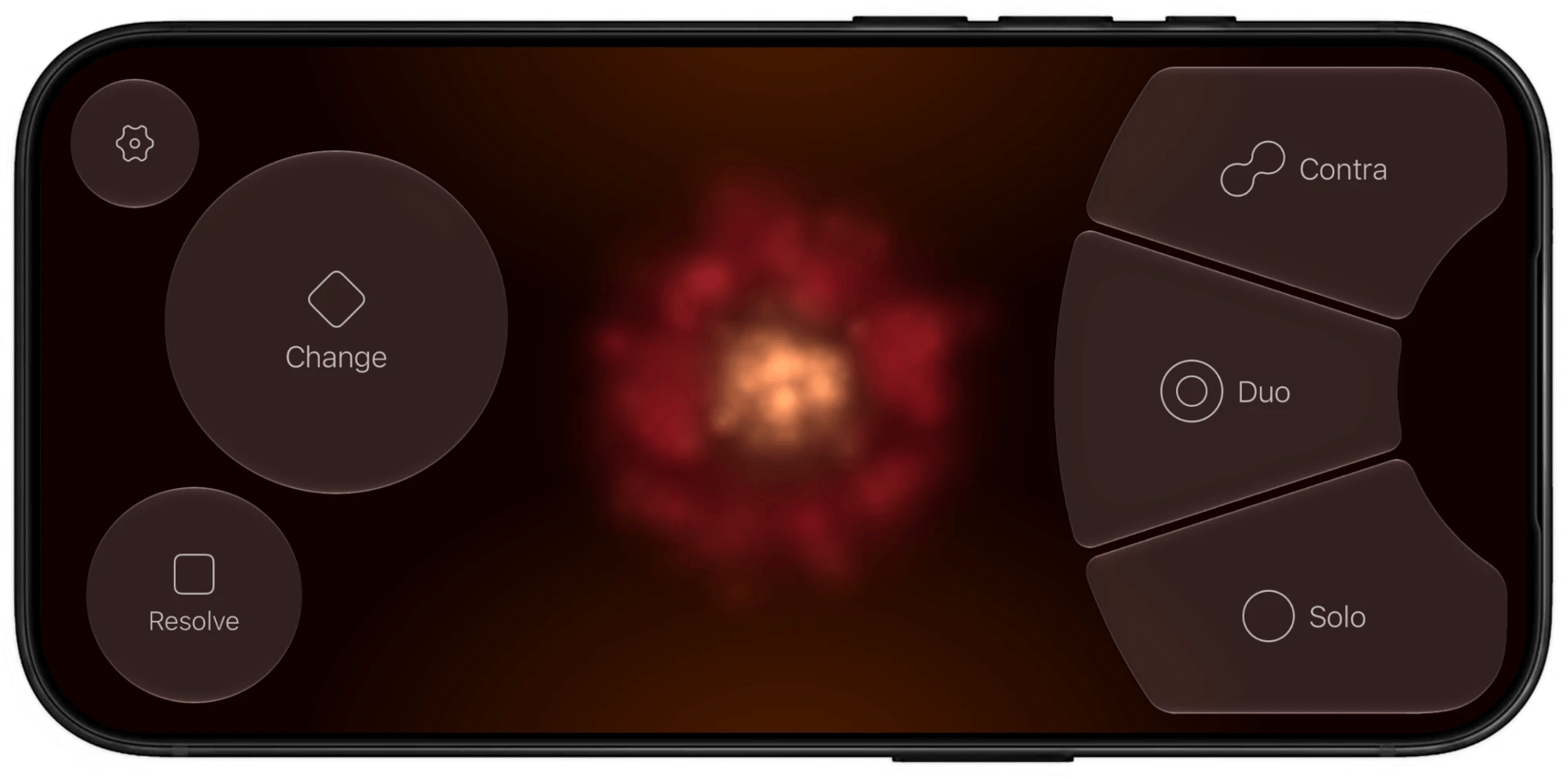
CelloPad finds the notes, you perform the emotion.
You don’t need to know which notes to play. Inspired by Bach and Vivaldi, CelloPad improvises the score as you go, so every performance is different.
1. Hold
Choose who plays
Press one of the three voicing buttons to play. The notes begin as you tilt, and are sustained as long as you hold the button.
2. Tilt
Bow with your whole device
Tilt your iPhone or iPad side to side, and it acts like you are drawing a bow: tilt slowly for quiet notes, quickly for strong ones.
3. Change
Move the harmony
Tap Change for a new chord or Resolve to go home. Changes arrive on your next bow, always in time with your playing.
Adjust textures as you play
Slide between different voicings to change the arrangement as you play.
Solo
A single cellist voices the melody alone, while you direct every note’s expression.
Duo
A second cellist joins the first: one holds the bass note while the other plays melody.
Contra
Two cellists move deftly in counterpoint. Always complementary, like an elegant dance.
Built to sound and play like a real cello duet.
Spatial audio
On headphones the cellists sit around you in a studio, chapel or concert hall.
Real cello chords
Two-string playing (called “double stops”) that a real cellist’s hand could reach.
Feel the harmony
A deep haptic “thump” marks each new chord, so you can play without looking.
Any key, major or minor
Pick from all 12 keys, plus vibrato and bow sensitivity to suit your hands.
Play your way
Landscape or portrait, left- or right-handed, settings in 12 languages.
Accessible
Works with VoiceOver, larger text, Reduce Motion, and Increase Contrast.
PRO
Go further with CelloPad Pro
The free version is a complete instrument. Pro is a one-time purchase, with no subscription, that opens up richer harmony, new instruments and MIDI.
Supports Family Sharing, and your Pro settings are always saved.
- Chord colors: 7th chords and borrowed dominants for more colorful progressions.
- Improvisation style and steering: from safe to adventurous, and lean the melody higher or lower.
- Oboe and bassoon: mix woodwinds with cello for new duets.
- Coach mode: chord names, timing hints and automatic chord changes.
- MIDI send and receive: use CelloPad as a motion-sensing controller for any synth or DAW, or improvise over your own chords.
- Release and reverb: shape how notes ring on and how much of the room you hear.
Questions
Do I need to know how to play an instrument?
No. CelloPad chooses the pitches; you decide the rhythm, the dynamics and the texture. It’s designed for people who have never played, musicians who want an expressive sketchpad, and producers who want a motion-sensing MIDI controller.
Which devices does it run on?
iPhone and iPad with iOS 26 or later. It uses the gyroscope that every current iPhone and iPad has. It isn’t available for Mac.
Do I need an internet connection?
No. All the sounds are built in, so you can play anywhere. You only need an internet connection to buy or restore Pro. MIDI to a Mac just needs the same Wi-Fi network, not the internet.
Can I play without tilting?
Yes. Turn on Bow with touch, then slide your finger back and forth along a play button. The faster you slide, the louder it plays.
Is CelloPad Pro a subscription?
No. You pay once and keep it for good, on all your devices with Restore Purchases, and your Family Sharing group can use it too.
Pick it up and play.
Pre-order free on iPhone and iPad, and CelloPad downloads automatically on December 2.
Pre-order free on the App StorePre-order free